Your first edits are free.

AI Photo Editing

AI Photo Editing brings quick and easy AI photo transformation to your fingertips. Choose a photo, type a prompt, and watch the magic happen.

Screen recording of the app: the prompt “Make my hair a rich auburn red” turns a woman’s street selfie auburn, “Make it a snowy winter night with the city lights glowing” turns that result into a snowy night, and the editor steps back to the original.
  • Just say what to change: “Make my hair a rich auburn red” turns a blonde woman’s street selfie auburn.
  • From street to red carpet: the same selfie becomes a photo at a movie premiere, in a black evening gown.
  • Day to winter night: “Make it a snowy winter night with the city lights glowing” turns her street selfie into a snowy night.
  • Genius mode for bigger changes: a café selfie becomes a sailboat off the Amalfi Coast.
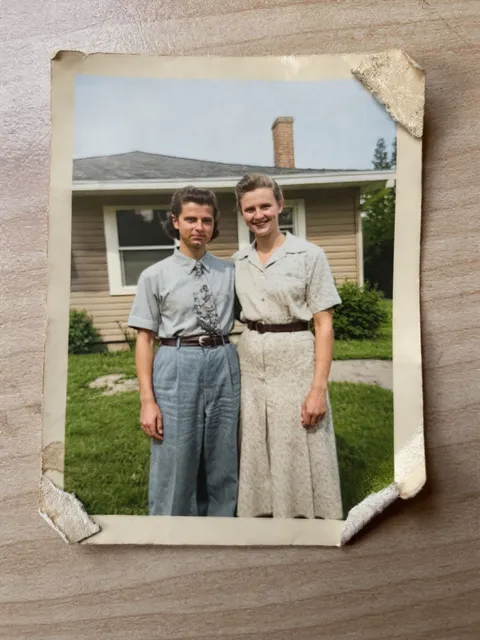
  • Bring old photos back to life: a scratched, creased black-and-white photo, restored and colorized.
  • Send yourself to the beach: “Put me on a tropical beach at sunset” moves her street selfie to a beach at sunset.
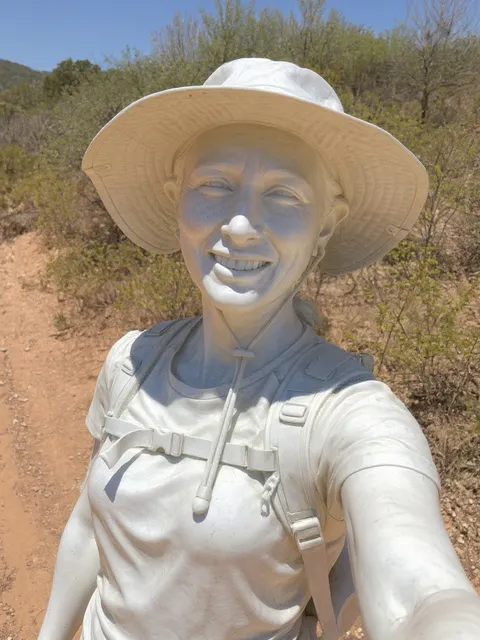
  • Any style you can imagine: a hiker turned into a marble statue.
  • Bring the whole family: a mother and daughter’s selfie moved to Santorini’s white houses and blue domes.
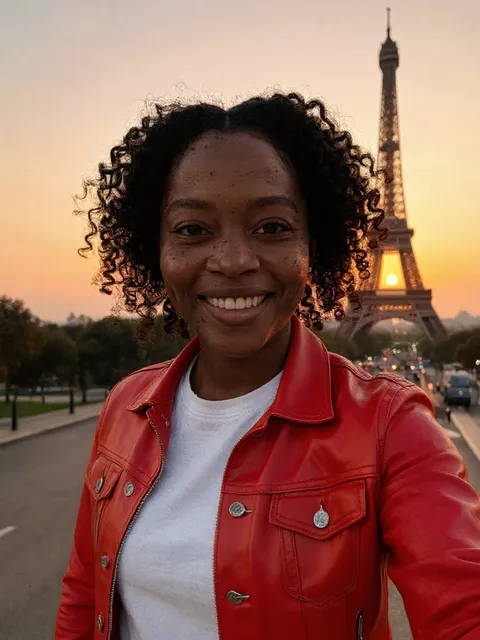
  • Type it the way you’d say it: “Change my jacket to a sharp navy suit.”
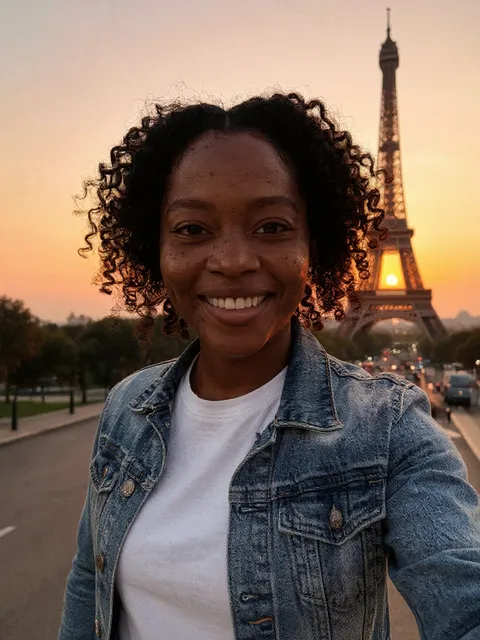
  • Keep every version: swipe back through the original, the Paris edit and the red jacket.

What it does

Describe it. Tap. Done.

Before-and-after reel: typed prompts put a woman on a sailboat off the Amalfi Coast, send another to Paris at sunset and swap her denim jacket for red leather, restore and colorize an old photo, move a mother and daughter to Santorini, and turn a hiker into a marble statue.

Edit by describing it

Type what you want in plain language — a new outfit, a different background, a whole new scene — and the AI generates it. Stuck? Tap one of the ideas.

Pick how hard the AI works

Standard for everyday edits, Fast for results in a few seconds, or Genius for the tricky ones.

One-tap style presets

A built-in prompt enhancer turns a quick idea into a polished, detailed edit instruction.

Built-in upscaling

Keep your edits crisp and detailed.

Share or save instantly

Send results straight to Photos or share anywhere, with optional auto-save.

Private by design

We never store your photos or prompts. Edits are saved to your Photos library, never to our server.

Try it free

Your first edits are free. Available on the App Store now.