Now in beta — macOS
Live meeting insights that only you can see.
Insight listens during your meetings and quietly surfaces one sharp insight at a time — invisible on the screen you're sharing.
Free beta · macOS 14+ · Apple Silicon
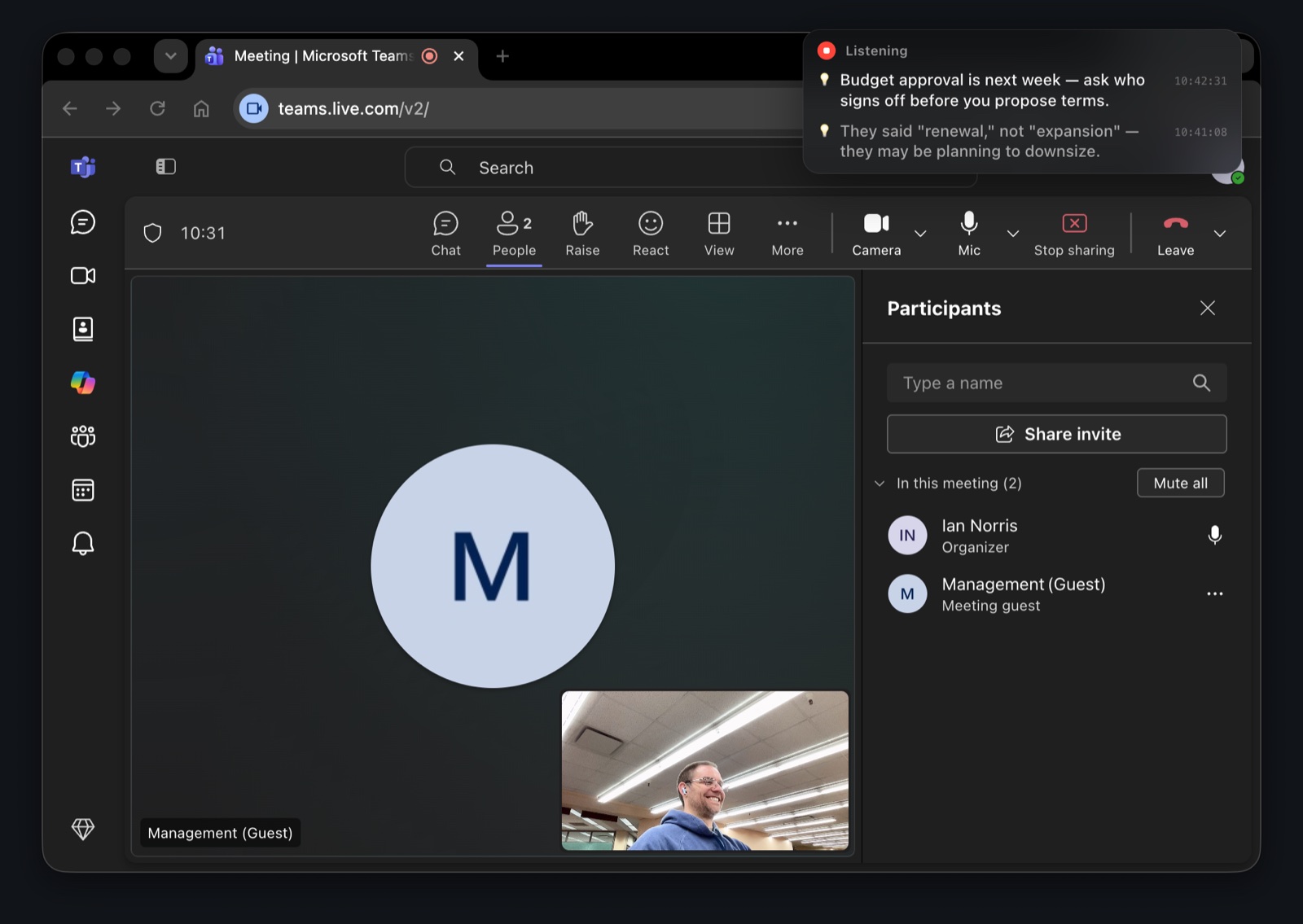
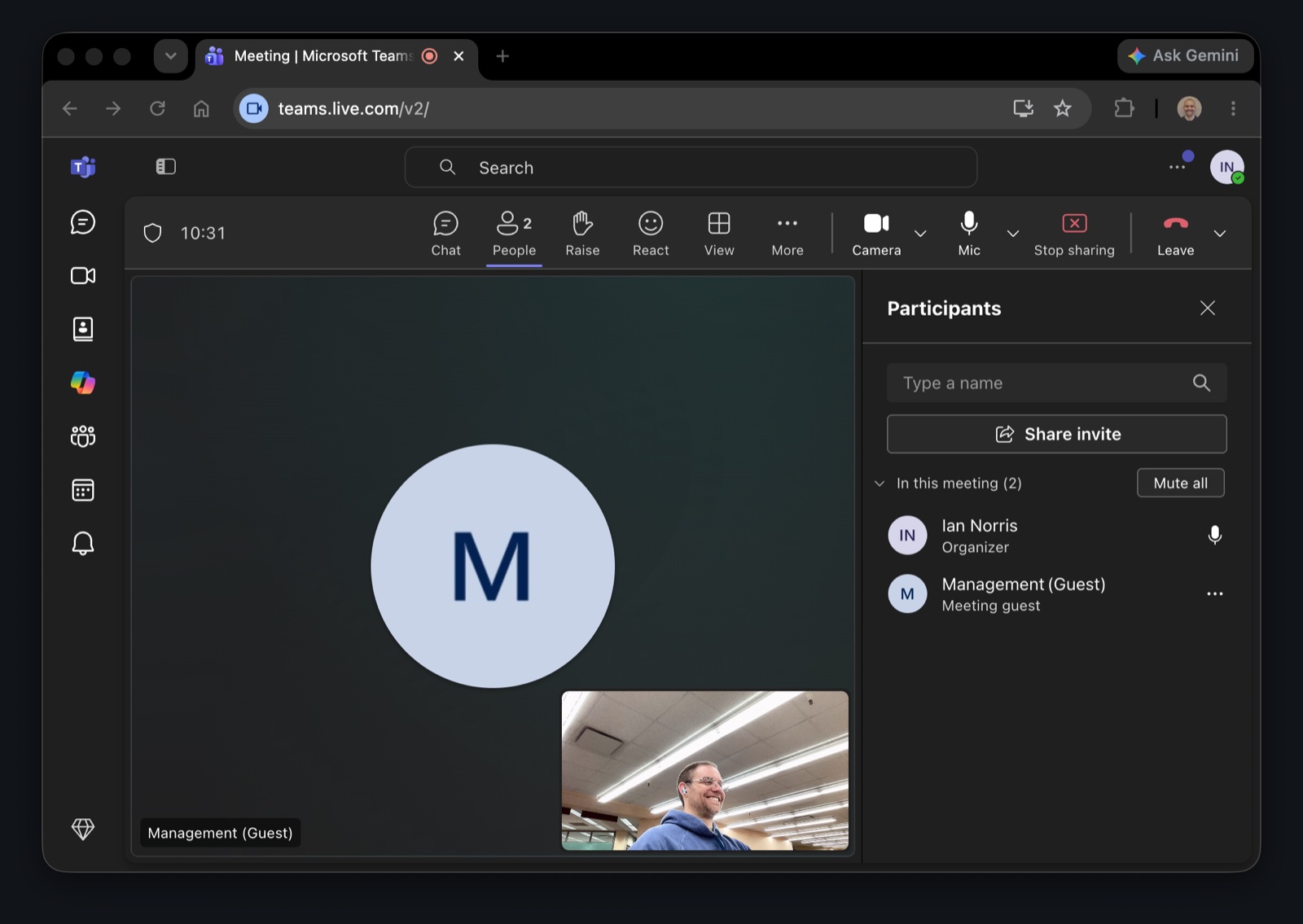
Same moment, same shared screen. The overlay is excluded from screen capture and recording, so this contrast is the whole point.
The problem
High-stakes meetings move fast. You're listening, thinking ahead, and trying not to look distracted — all while notes apps pull your eyes away and other AI copilots light up the screen you're sharing. Insight rides along silently and surfaces one useful thing at a time, seen by no one but you.
Why Insight
Invisible on shared screens
The overlay is excluded from screen capture — present for you, absent for everyone else.
On-device transcription
Your audio is transcribed on your Mac and never uploaded by us.
One insight, not a firehose
It's tuned to stay silent unless it has something worth your glance.
Meeting-app agnostic
Works alongside Zoom, Meet, Teams, Webex — it's just listening.
Private by design
Your audio and conversations stay on your Mac. Insight runs no servers and has no accounts — we never see or store your meetings.
Read the Privacy Policy →From the developer
Insight is made by one person — Ian Norris — an independent developer, not a startup that runs on your data. That independence is the whole reason your audio can stay on your Mac, answering to no one but you.
See what else I've built →Get started
You shape what's next. Click “Send Feedback” from the app menu or email ian.norris@ai-editor.app.
Trade notes with other testers, report bugs, and hear what's shipping next.