Turn a photo into art on iPhone
Describe a style and AI Photo Editing redraws the photo in it. For a head start, turn on the Prompt Enhancer and tap a style such as Painting, Anime, Comic or Pixel Art.
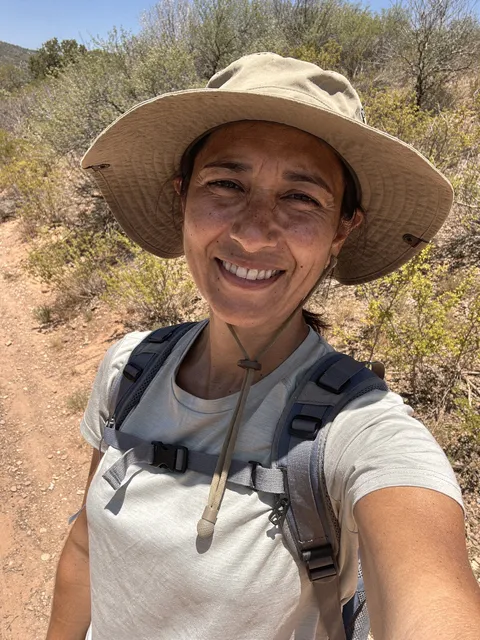
Before
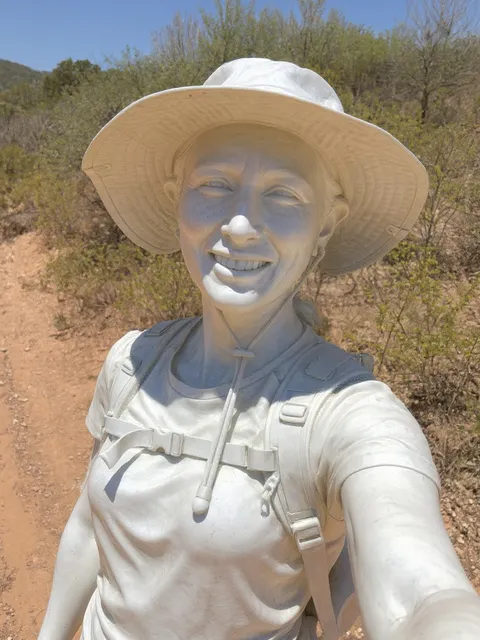
After
“Turn me into a marble statue”
Standard mode.
How to do it
- Choose a photo with a clear subject.
- Type the look you want, like “Turn me into a marble statue”, or tap a Prompt Enhancer style.
- Swipe between the versions and keep your favorite.
Tips
- Short prompts work: the statue came from six words.
- The same prompt gives a different take each time, so try it again if the first result isn’t right.
Try it in AI Photo Editing
Your first edits are free. Available for iPhone and iPad.
Download on the App Store